

Sumo Integration
Sumo is one of the best free tools for the entrepreneur to Automate the website growth and offer Email List Shortcut to turn the audience into email subscribers before they leave.
This guide will explain to you how the Sumo integrates with the Replug.
Step 1 Create a new site in Sumo
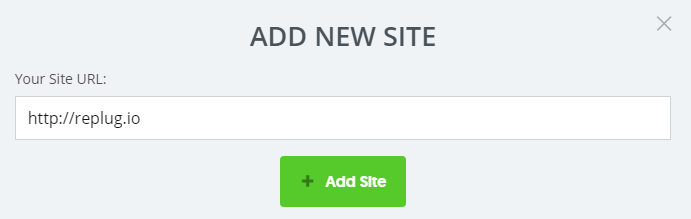
With the purpose of integrating your Sumo account with Replug, you need to create a website by clicking on the Add New Site to get a code.

Moving forward, a pop will appear which require a Site URL and click on the Add site.
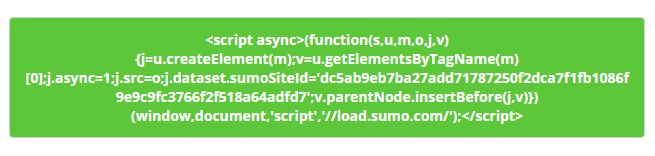
And, In the next screen, you will see a code. Copy it and paste it in the Replug campaign link.
Step 2 Select Your campaign type
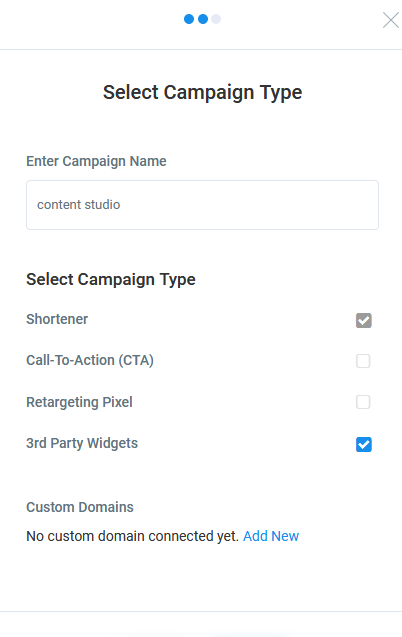
Go to your Replug account. Select your Campaign type, enter your campaign name and click on 3rd party widgets.
Step 3 Add the integration code
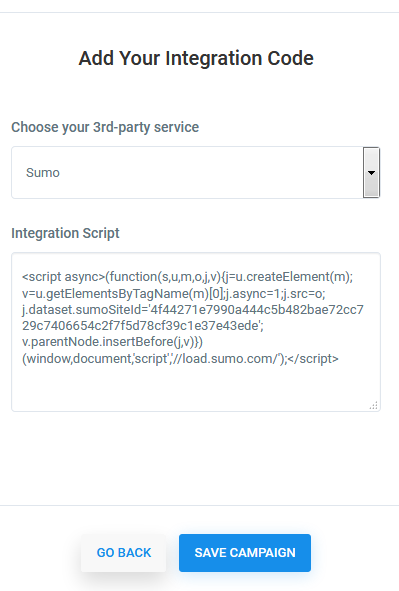
In the next step, you need to add the integration code as an integration script, which you have copied earlier, and Save Campaign by ticking on it.
That's it. You're all set. Your website now connected to your Sumo account.
Troubleshooting
If you are connected your campaign to Sumo and email addresses are not added to your list, then there are common reasons as to why:
Was this article helpful?