

FreshMail Integration
FreshMail is an email marketing service provider which create beautiful and effective newsletters without any coding skills. Please follow the steps as mentioned below in order to integrate your FreshMail account to the Replug.io.
Step 1 Connect your FreshMail account to Replug
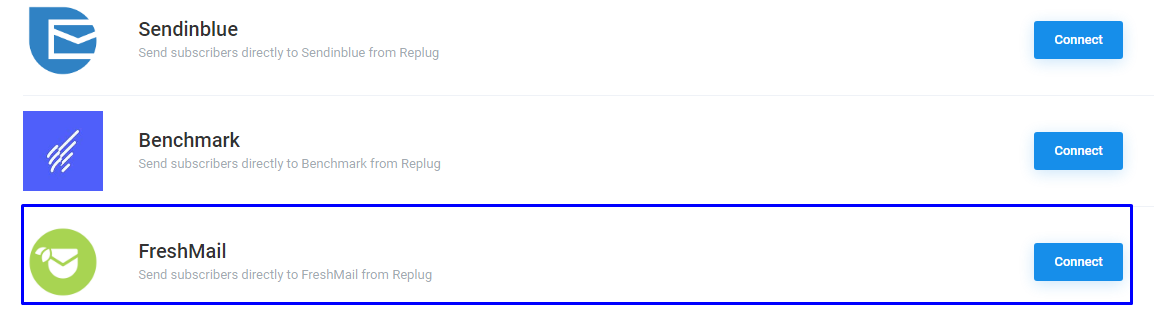
Starting off, from the Replug dashboard. Hover over to the Setting on the right corner and click on the Integration. You will see different integration service, click on the Connect button in front of FreshMail.
Step 2 Access your FreshMail API Key
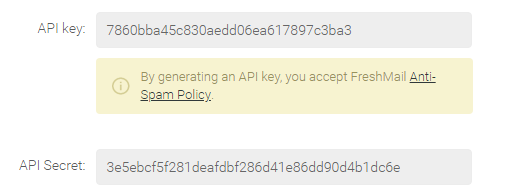
In order to connect your Freshmail account key with Replug, you need to access your FreshMail API key. So the thing you need to log into FreshMail account, hover over to User icon > Settings > Plugins and API which is on the left side. After that, click on the Integrations and your API and the secret key will appear.
Step 3 Input Credentials
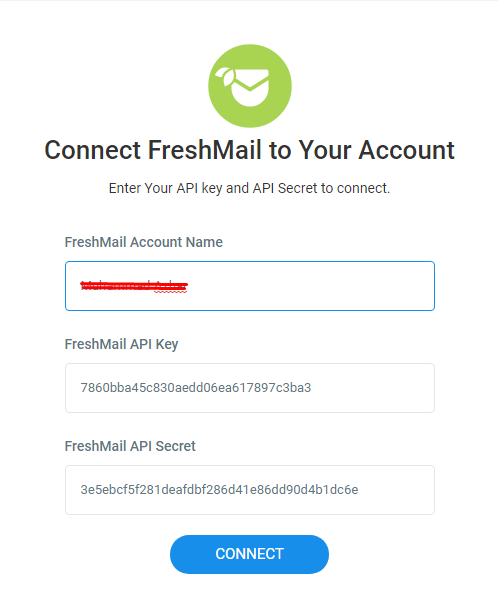
In this step, you need to input your credentials into the field, which includes FreshMail account name, API and Secret key and choose the list to connect with the Replug account.
Step 4 You're Connected
You're connected, now log into your Replug account,
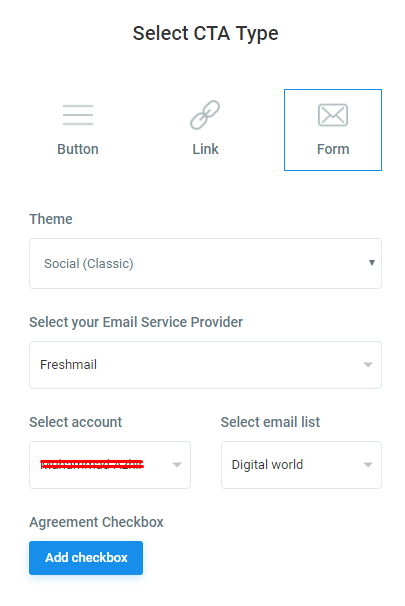
Select your campaign, after that, you have the option to select FreshMail in CTA, and enter your email and list which you had created in FreshMail account, then all the information will automatically be shown in your FreshMail account.
Moving forward, create a Replug link and copy that link pastes it into your social media where you want. That's all you need to do to integrate your MailFresh account with Replug.io
Troubleshooting
If you are connected your campaign to Fren and email addresses are not added to your list, then there are common reasons as to why:
Was this article helpful?