

Track Links through Filters
You can check the stats and evaluate the performance of your links through several filters located on the Replug Links page.
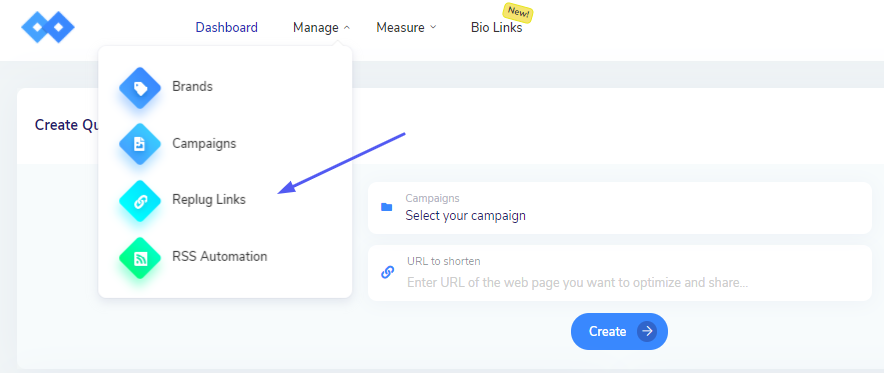
Step 1 Go to Replug Links
From the Navigation Menu on the top, select Replug Links under the Manage Tab.
Step 2 Select Filters of Choice
You can see many FIlters on this page. To segregate your links, choose from those filters as deemed suitable.
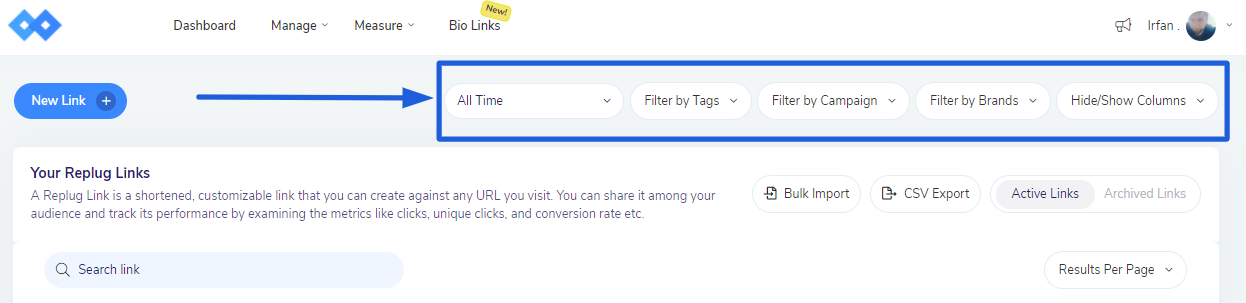
You can Filter Links by:
Time
Tags
Campaigns
Brands
Columns
If you have any questions related to Replug, you can email us directly at support@replug.io or use the live chat on this page (also available on the dashboard at any time).
Was this article helpful?