

Traffic Routing Rules
Are you trying to target a specific audience of your own choice? Do you want to divide your traffic or need to provide a direct link to customers for a specific site to increase your engagements?
The Traffic Routing Rules feature by Replug makes it simple for you to get the ideal crowd significantly quicker.
Utilization of the Traffic Routing feature requires 4 simple steps.
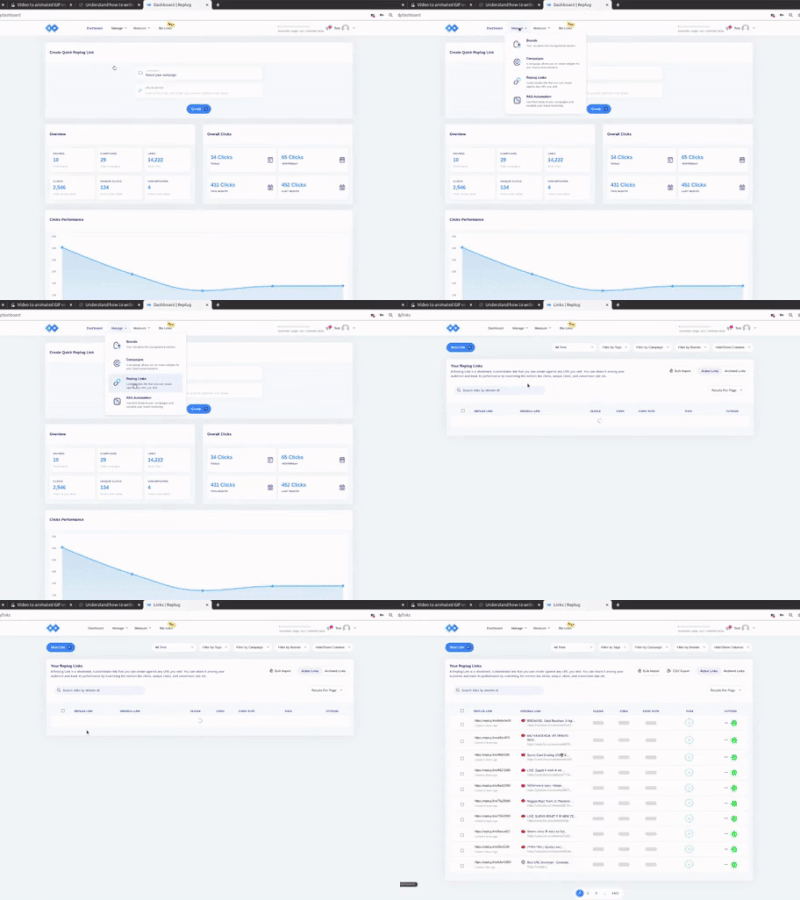
Login to the Replug Application. Navigate to the Replug Links page. Click on the New Link button and proceed with the Link Creation Steps.
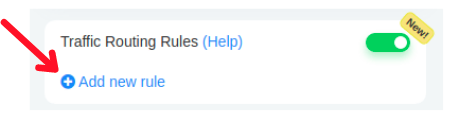
Prior to saving the Link, enable the Traffic Routing feature by toggling its slider button. Enabling this feature will show you a button named the "Add new rule" button from there you can add rules.
On clicking the "Add new rule" button, a modal will open from where you can choose the "filters" like country, device, browser, operating system, and many more.
If the country of the visitor is Pakistan,
the browser is Chrome,
the device is Desktop/Laptop, and
Operating System is Windows,
then navigate to: https://replug.io/special-offer/.
Otherwise, if the IP Address is 192.168.13.12, Day of the week is Friday/Sunday and the Date is 2021-11-15 then navigate to: https://contentstudio.io/.
Otherwise, point to the default destination URL.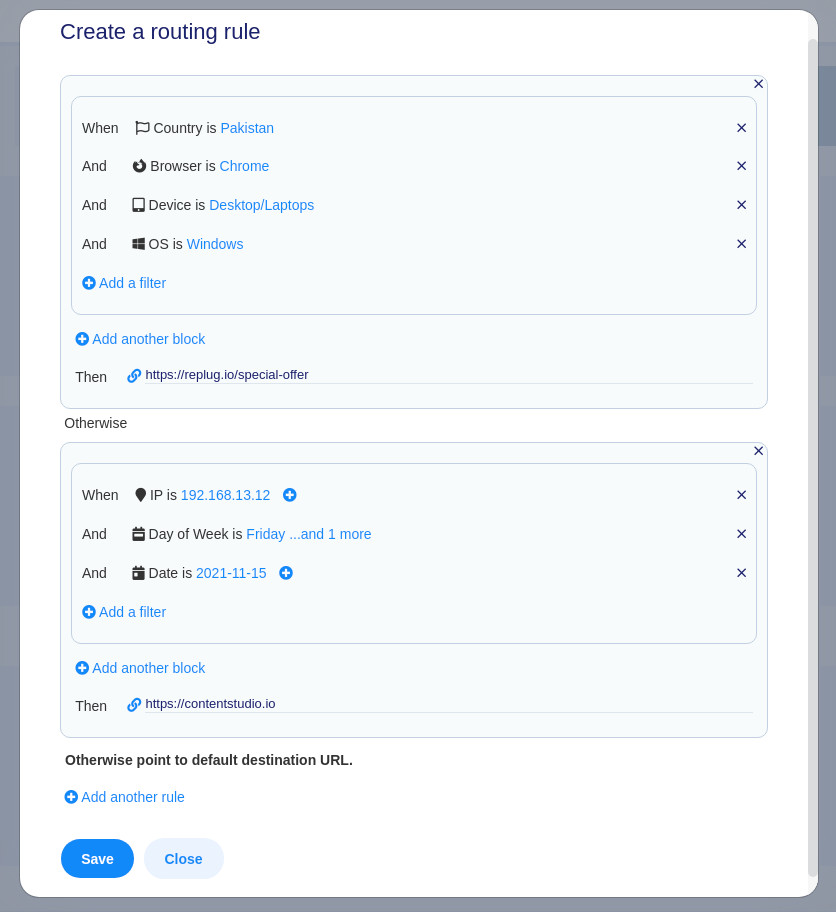
Once done with Rules click on the Save button at the left bottom of the popup and you are all set to save your branded link with Traffic Routing Feature enabled.
Grab your Audience by sharing your Replug Link.
Get a detailed example of Traffic Routing in Replug Link.
Was this article helpful?